Domains
Add a domain, verify ownership via DNS, bind subdomains to local ports.
The Domains page is where you teach osmRouter about the domains you own. It's a three-stage flow: add → verify → bind.
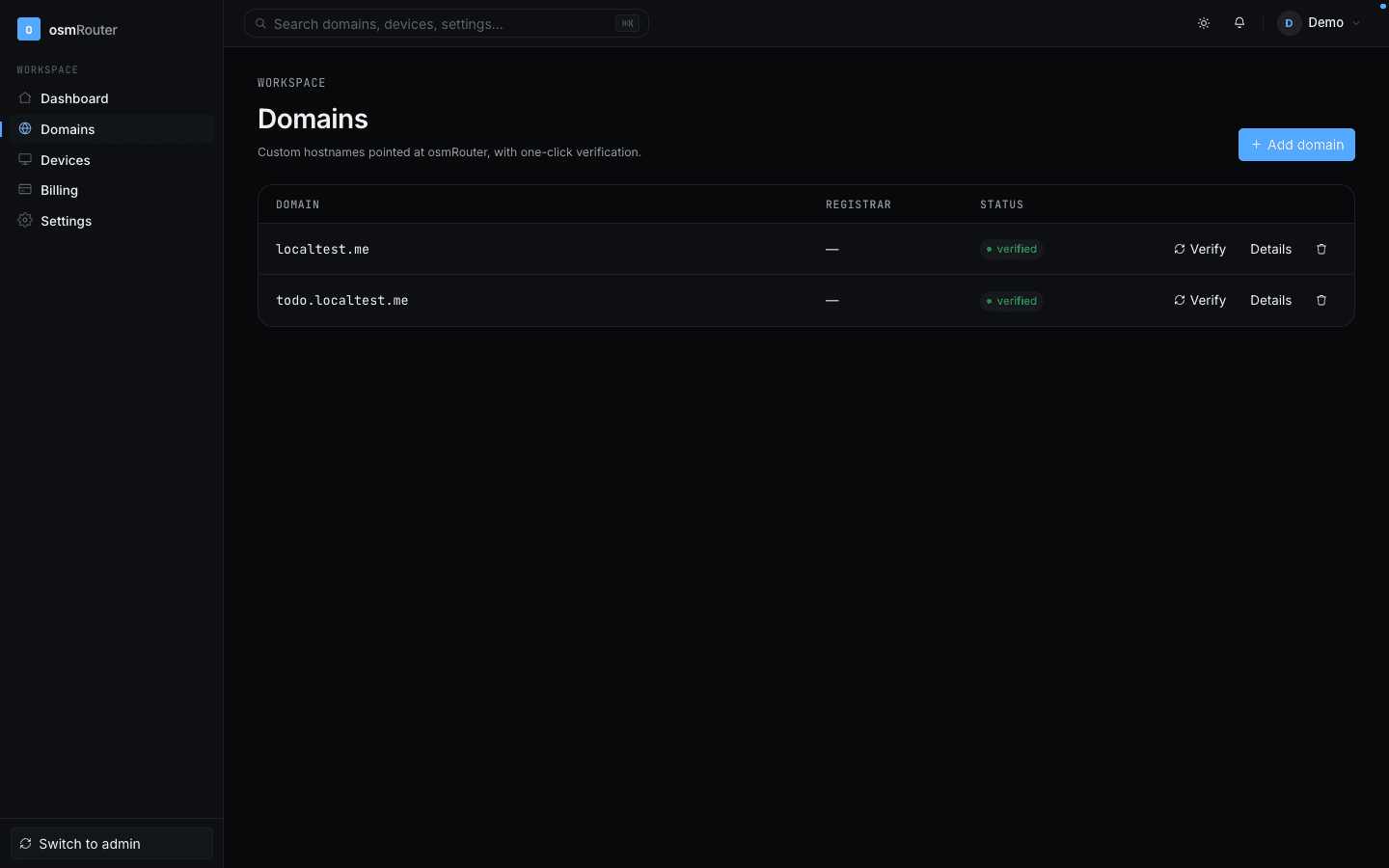
Stage 1 — Add a domain
Click Add a domain in the top right. Enter the apex (e.g. example.com — not www.example.com, not https://example.com, just the apex).
The new row appears in the list with status Pending verification and a chevron. Click the row to open the details modal.
Stage 2 — Verify ownership via DNS
The details modal shows the exact DNS records you need to add at your registrar:
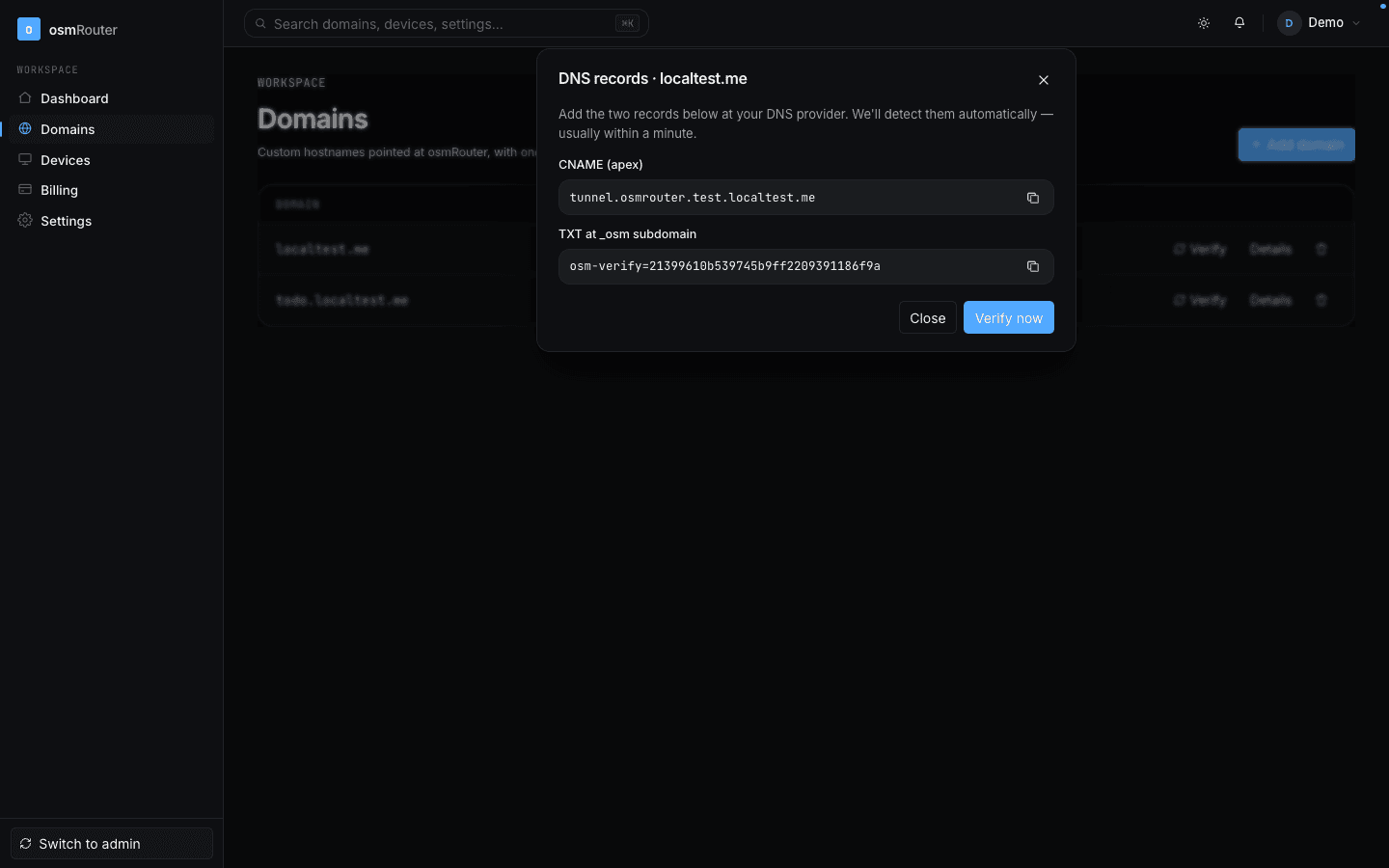
Typically two records:
| Type | Name | Value | Why |
|---|---|---|---|
A | @ (apex) | 198.51.100.10 | Routes the apex to our edge |
A | * (wildcard) | 198.51.100.10 | Routes any subdomain |
See the DNS Cookbook for screen-by-screen registrar instructions. The modal also has tabbed inline guides for the most common registrars.
Once the records are in place, click Re-check now in the modal. osmRouter's verifier runs a DNS lookup against an authoritative resolver — when the records match, status flips to Verified.
Propagation usually takes 1–10 minutes. The verifier polls in the background, so even if you don't click Re-check, the status will flip on its own within a few minutes.
Stage 3 — Bind to a local port
Once verified, the domain row shows a Bind to port button on each variant (apex + any subdomains you create).
You can do the bind either:
- From the web panel — click Bind to port, enter
127.0.0.1:<port>and confirm. - From the Mac app — go to the Services tab, pick the local service, click Bind to a domain.
Both flows write to the same control-plane row.
Subdomains
To create a subdomain (e.g. api.example.com), open the apex row's details modal and click + Add subdomain. Enter just the prefix (api). The subdomain inherits the parent's verification — no extra DNS needed if you've added a wildcard * record.
What the status pills mean
- Pending verification — DNS records not yet seen.
- Verified — DNS records confirmed; ready to bind.
- Verified · Bound — A device is bound and a tunnel is active for at least one variant.
- Verified · Idle — Bound but no device is currently online.
- Error — The most recent verification probe failed. Check the row's details for the exact reason (e.g.
NXDOMAIN,wrong A value).
What you can't do here
- You can't add a domain you don't control. The verifier won't lie for you.
- You can't bind to a port on someone else's machine. Bindings are device-locked.
- You can't transfer a binding without explicitly unbinding first. Rebinds are atomic + always require human confirmation.
Where to go next
- Devices — see which Macs are currently authenticated against your account.
- DNS Cookbook — registrar-by-registrar walkthroughs.
- Mac App: Domains tab — the other half of the binding story.