Services tab
Local services, port detection, and one-click binding.
The Services tab is the answer to "what's running on this Mac that I could expose?"
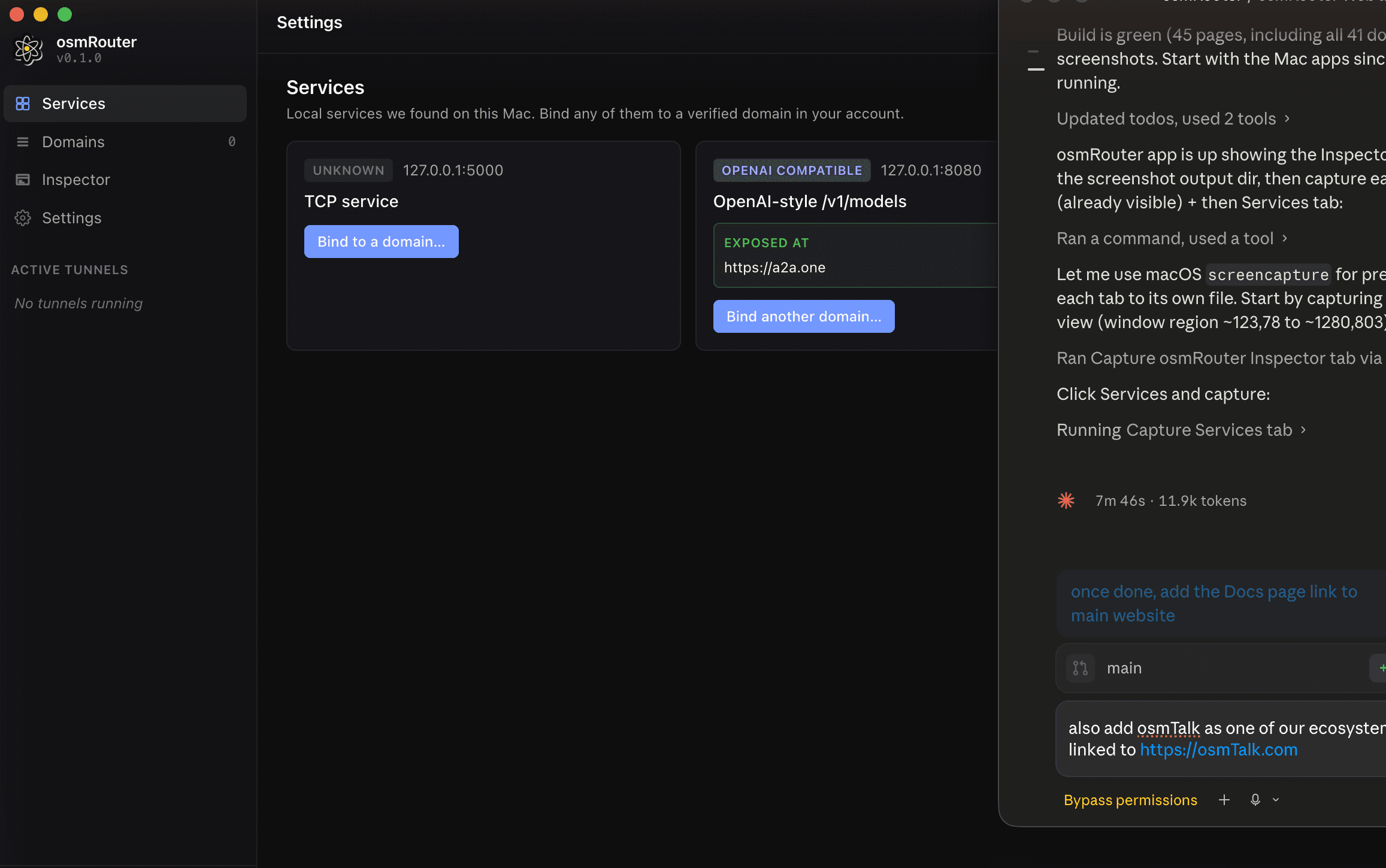
How discovery works
The sidecar runs lsof -nP -iTCP -sTCP:LISTEN every few seconds and tries an HTTP GET / against each result. It then classifies each listener:
- OPENAI COMPATIBLE — responded with
application/jsoncontaining adata: [{id: ...}]shape. Almost certainly an OpenAI-style endpoint (LM Studio, Ollama, vLLM, anything that speaks the chat-completions API). - HTTP — responded with valid HTTP headers but the body didn't match a known API shape.
- TCP service — accepted the connection but didn't respond to HTTP. Could be a database, a TLS server, a custom protocol.
- UNKNOWN — listening, but didn't answer the probe.
The classification only affects the badge — you can bind any listener to a domain regardless of what's behind it.
Anatomy of a service card
Each card shows:
- Badge + address —
OPENAI COMPATIBLE 127.0.0.1:8080for example. - Title — a short, human-readable description (e.g. "OpenAI-style /v1/models" or "TCP service").
- Binding state:
- EXPOSED AT — if this service is already bound to one or more domains, you see the URL(s) here. The card shows a Bind another domain… action.
- Not bound — the card shows a Bind to a domain… action.
Binding a service
Click Bind to a domain… on the service you want to expose. A modal opens:
- Pick a verified domain (only domains with verified status appear).
- Pick the apex or a subdomain. You can type a new subdomain prefix here.
- Confirm.
Within ~1 second the binding flips to LIVE. The card updates to show the public URL.
Manual port entry
Some services bind to a unix socket or listen on an interface lsof doesn't enumerate (rare but possible). Click Add IP:port… in the top right to manually register one. You'll see a small dialog asking for host:port — once added, it appears as a service card and can be bound like any other.
Re-scanning
The agent auto-rescans every few seconds, but you can force one with Re-scan in the top right. Useful right after starting a new service.
What you can't do here
- You can't kill a local service from this tab.
- You can't change a service's port (osmRouter doesn't manage the upstream process, just the tunnel into it).
- You can't bind to an unverified domain. Go verify it first in the web dashboard.
Where to go next
- Domains tab — the other side of the same coin: pick a domain, then bind it to a port.
- Diagnostics — when a binding is live but requests aren't landing.