Tunnel diagnostics
The 3-layer health check.
A tunnel that "doesn't work" is almost always one of three things being out of sync. Walk this list top to bottom.
Layer 1 — Cloud-side binding
What the control plane thinks is bound. Check it via the Domains page in the web dashboard, or via the API:
$ curl -H "Authorization: Bearer <your-key>" \
    https://api.osmrouter.com/api/v1/domains/<domain>/subdomains
Look for the subdomain row with the right target_port and a non-null bound_device_id.
If this is wrong: bind from the web dashboard or the Mac app.
Layer 2 — Sidecar on your Mac
Whether an osm-agent process is actually running with the right flags.
$ pgrep -af osm-agent
51234 /Applications/osmRouter.app/.../osm-agent-darwin-arm64 \
      run --domain example.com --local-port 8080 \
      --proxy-url https://tunnel.osmrouter.com:8443 \
      --device-id <your-device-id>
Two common issues:
- No process at all. The Mac app isn't running, or the sidecar manager crashed. Quit + reopen
osmRouter.app. - Process running with the wrong
--local-port. Most commonly happens when you've rebound the same domain to a different local port from the web dashboard. The Mac app's sidecar manager doesn't yet reconcile automatically with cloud-side binding changes. Workaround: quit + reopen the Mac app, or kill the sidecarpkill osm-agentand wait a few seconds for the app to respawn it.
This auto-reconciliation issue is tracked for v2.1. Until then, restarting the Mac app is the reliable fix after a web-side rebind.
Layer 3 — Local service
Whether the upstream process is actually answering on 127.0.0.1:<port>.
$ curl -sv http://127.0.0.1:<port>/ | head -20If this fails: the tunnel can't help. Restart your upstream service. Anything you see here will also be what the public URL sees.
Putting it together — the end-to-end probe
If all three layers look right but the public URL still fails:
# Cache-busted hit against the public URL, with verbose timing
$ curl -sN --max-time 30 -w "\n--\n%{http_code}  %{time_total}s\n" \
    https://YOUR-DOMAIN.com/?cb=$(date +%s) | tail -3
Common outcomes:
| Symptom | Likely cause |
|---|---|
| HTTP 502 from edge | Sidecar isn't running, or the proxy can't reach the tunnel. Restart Mac app. |
| HTTP 502 after 30 s | Upstream is slow. Likely a Claude Code CLI cold-start or rate limit. See Upstream errors. |
| HTTP 200 but empty body | Upstream returned an empty stream. Look at your local service's logs. |
| HTTP 503 from edge | Caddy can't mint a Let's Encrypt cert for your domain. Check that DNS still points at the right IP — dig YOUR-DOMAIN.com +short should return our edge IP. |
| Connection refused | DNS not propagated. Wait + try again. |
Last resort — the Inspector tab
The osmRouter Mac app's Inspector tab streams every request that passes through your tunnels with method, status, path, ms, and size.
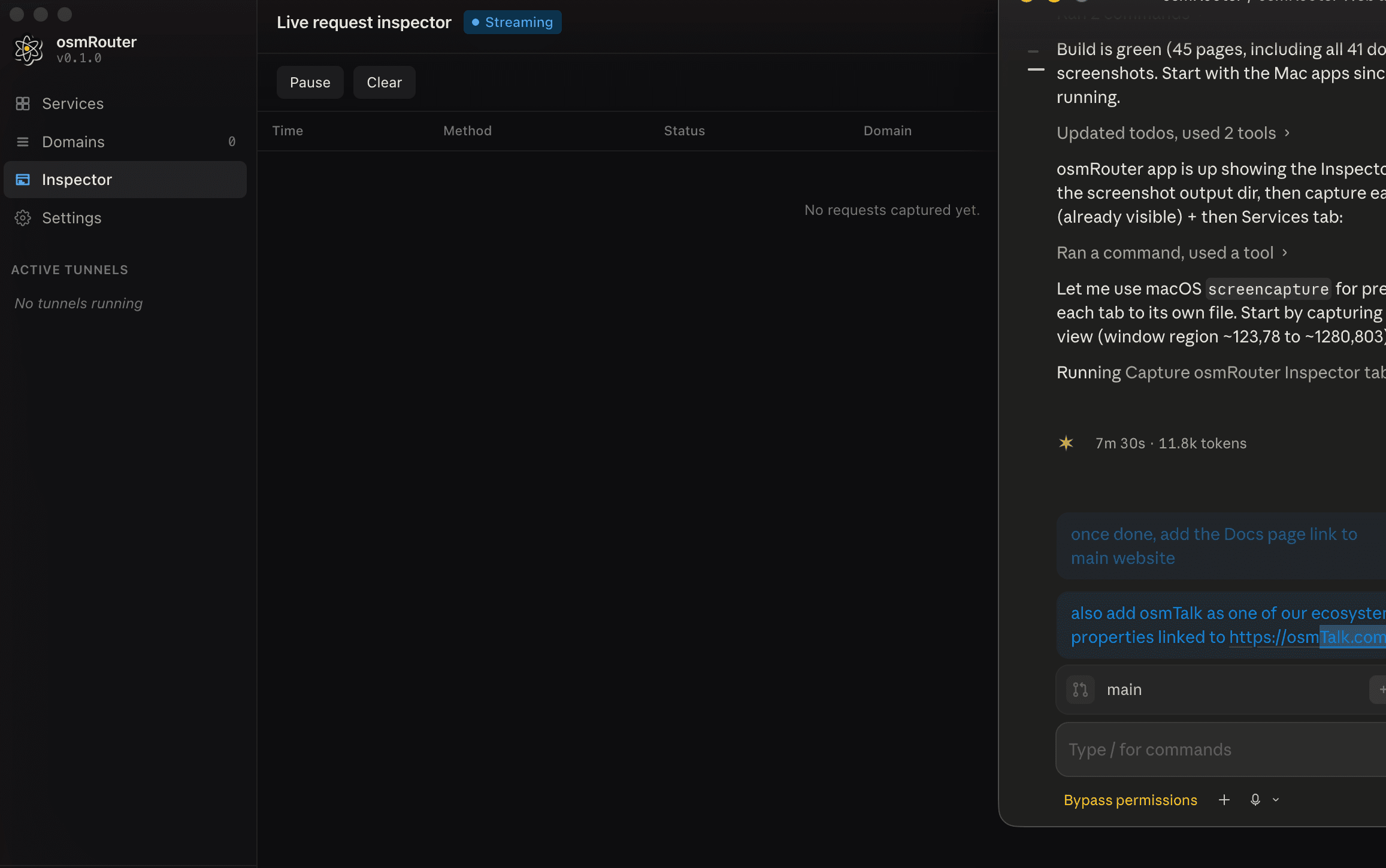
If the Inspector is streaming but shows nothing when you hit the public URL, the request isn't reaching your sidecar — it's stuck at the edge or the proxy. Check Layer 1.
If the Inspector shows the request landing but with status 502, the request reached your sidecar but the local service didn't answer. Check Layer 3.
Where to go next
- Upstream errors — when the routing chain is fine but the LLM provider rejects.
- Error codes — every error code with its remedy.